The Remotelab
After migrating my project to a new shiny server, I was left with a smaller spare box. Since I still had some experiments running in it, I decided to keep it as my own personal playground. As I kept tinkering with it, I started going deeper into the self-hosting rabbit hole.
One of the first things I installed was a GitLab Runner. I have been using GitLab for a long time since private repositories were included in the free plan long before GitHub offered them. The only limitation was having 2,000 CI minutes for private repositories, which I reached often during active development, especially with Kotlin. I initially hosted it on NabBot's server, but affecting production every time a new build was pushed did not seem like a great idea, so I moved it to my personal server.
After months of treating this server as a playground for different self-hosted projects I came across, like Monica, Shlink, Paperless-ngx, and Portainer I decided to give it a bit more structure.
First Iteration
I created a git repository for my setup, initially called homelab. At the time, this was my only lab setup, so the name made sense. Once I later set up a proper local homelab, this one naturally became the remotelab. The structure was pretty simple:
Repository layout
What I wanted was a central place for all my Docker containers, instead of trying to figure out the path for each. I usually connect to my server using VS Code, so I just open the homelab folder and I have access to the entire setup together.
One of the first changes I did was switching from nginx to Caddy. I saw Caddy being used at my job and I was curious about it so I wanted to give it a try. That was really my reason for switching. You could say that’s the reason for most of the things I do: curiosity. I was previously using nginx installed directly on the system, so I had to dig for configuration every time I wanted to change something, but with Caddy I decided to use a Docker container to have it all centralized.
The networking was pretty simple, some would argue this isn't very secure, and I agree, but I think that's the whole point of the experience. A single remotelab Docker network to rule them all. No exposed ports, just Caddy as the central receiver, routing requests to the appropriate container.
Along with Caddy, I set up OAuth2 Proxy, as I wanted a way to make some sites only available to me. I tried to set up Traefik as well, but I could never get it to play along well with OAuth2 Proxy.
At this point, my remote lab was just the apps that have survived my cleanup. There were a couple more loose projects hanging around that I just stopped until I was able to properly set them up. Of course, Shlink had to be set up. How else was I going to have my very useful short links: https://l.galarzaa.com/hello-world.
Over time, I started adding more services (which I will go into more detail in later posts) like Glance, because no self-hosted setup is complete without at least one personal dashboard app.
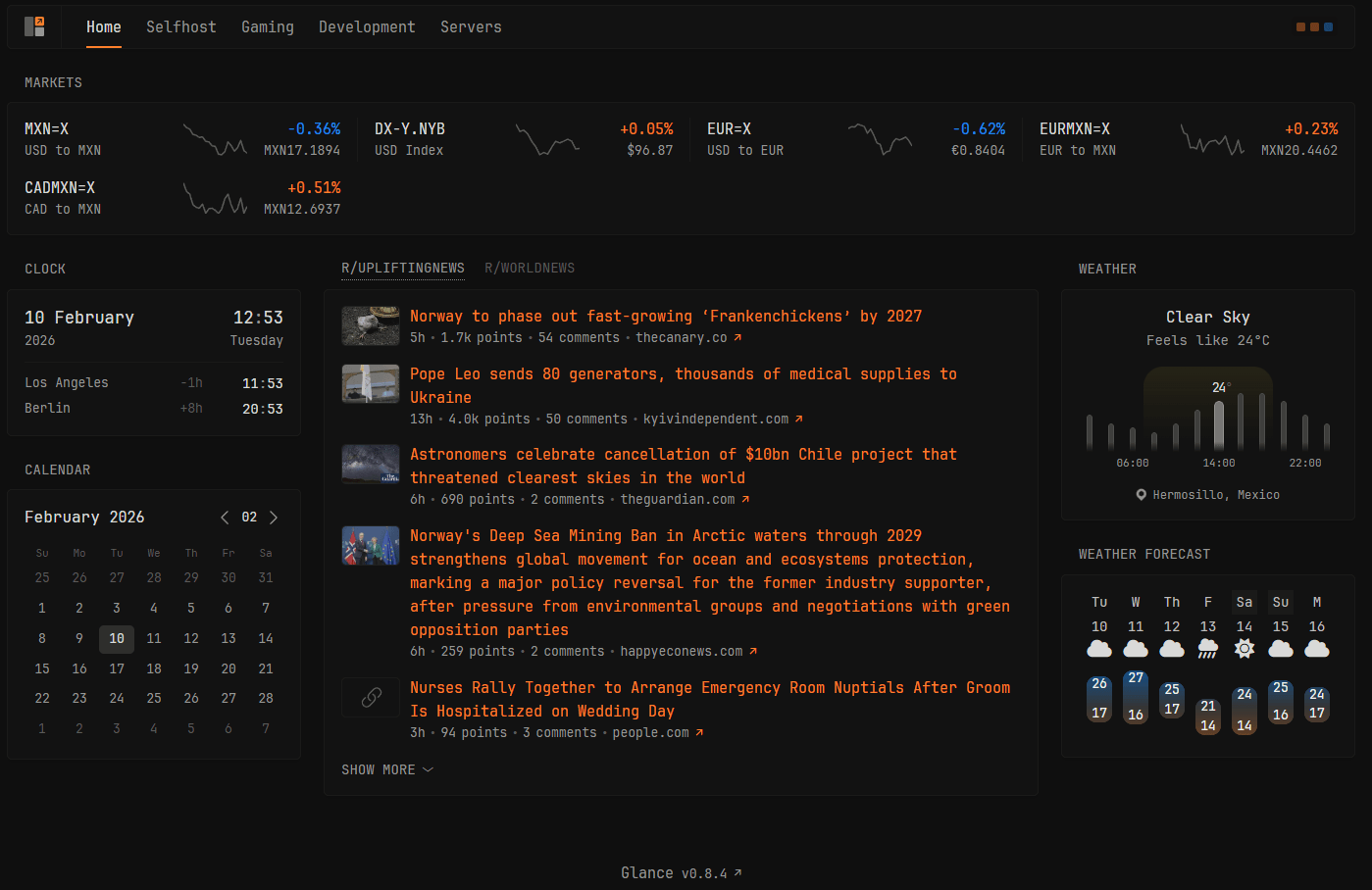
I must add, r/UpliftingNews is very much needed in today's world.
It has gone through many changes and a lot of tinkering, but it has been my new tab page in my browser for months. This became my first "I use this every day" tool, something that would give me a way to quickly see what's going on with my server.
Why Organize It
But why try to organize something I only use? Why treat this like you would have other people modify your setup? Because forcing myself to organize it helps me plan ahead, evaluate options, and spot potential security issues and flaws. It is no longer me just copying and pasting a Docker compose file found on the internet. I treat this the same way I treat every solo software development project I work on: assume you might die tomorrow and someone else will need to take over.